
Lock It Down! Simple Steps to Supercharge Your Cell Phone Security
Hey everyone! In today’s world, our cell phones are basically extensions of ourselves. They hold our contacts, photos, banking info, and even work emails. But how safe is all that data, really? Whether it’s your personal phone or a company-issued device, security should be top of mind. Let’s dive into some easy ways to level up your cell phone’s defenses.
Passcodes: The First Line of Defense

I know, I know, entering a passcode every time you want to check Instagram can be annoying. But trust me, it’s worth it. A strong passcode is your first line of defense against unauthorized access.
* What to do: Ditch the simple PINs like “1234” or “0000.” Opt for a longer, more complex passcode that’s hard to guess. Even better, use a biometric option like fingerprint or facial recognition if your phone offers it!
App Permissions: Know What You’re Sharing
Ever wonder why that flashlight app needs access to your contacts? Probably not for a good reason! Pay close attention to the permissions you grant apps when you install them.
* What to do: Review the permissions each app is requesting. Does a game really need access to your location? If something seems fishy, deny the permission. You can always change permissions later in your phone’s settings.

Software Updates: Don’t Ignore Them!
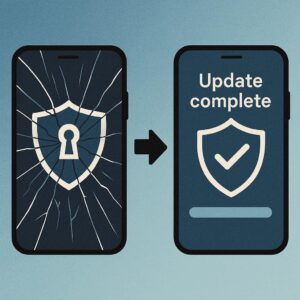
Those update notifications can be annoying, but they’re crucial for security. Software updates often include patches for newly discovered vulnerabilities that hackers could exploit.
* What to do: Enable automatic updates so your phone stays protected without you having to lift a finger. If you prefer to update manually, make it a habit to check for updates regularly.
Public Wi-Fi: Proceed with Caution
Free Wi-Fi at coffee shops and airports is tempting, but it’s often unsecured. Hackers can easily intercept data transmitted over public Wi-Fi networks.
* What to do: Avoid accessing sensitive information like banking apps or email when using public Wi-Fi. If you must, use a Virtual Private Network (VPN) to encrypt your data.

Lost or Stolen Phone: Be Prepared
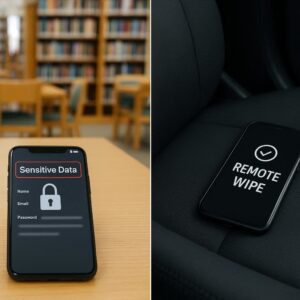
Losing your phone is a nightmare scenario, but being prepared can minimize the damage.
* What to do: Enable the “Find My Phone” feature on your device. This allows you to track, lock, or even wipe your phone remotely if it’s lost or stolen. Also, consider investing in a phone insurance plan.
Stay Tuned!
These simple steps can go a long way in securing your mobile phone. There are various methods to keep your mobile phone safe that also apply to mobile tablets, and/or employer issued equipment. A great source of information for management of security will come straight from your IT team, so don’t sleep on that front. Keep an eye out for future blog posts where we’ll dive deeper into securing company-issued devices and protecting your personal data across all your devices!
Also, if you have a topic that you maybe interested in learning more about, drop me a line and I’ll look into it and share findings.